For Mac · Suite partner

AI that lives in your Mac. LinguaAI Pro.

One window, seven tabs: translate and review bilingual files, fire a prompt at selected text anywhere on the Mac, and open a chat when a swap is not enough. Nine providers, your own API keys.

From your device · via nothing · to your provider
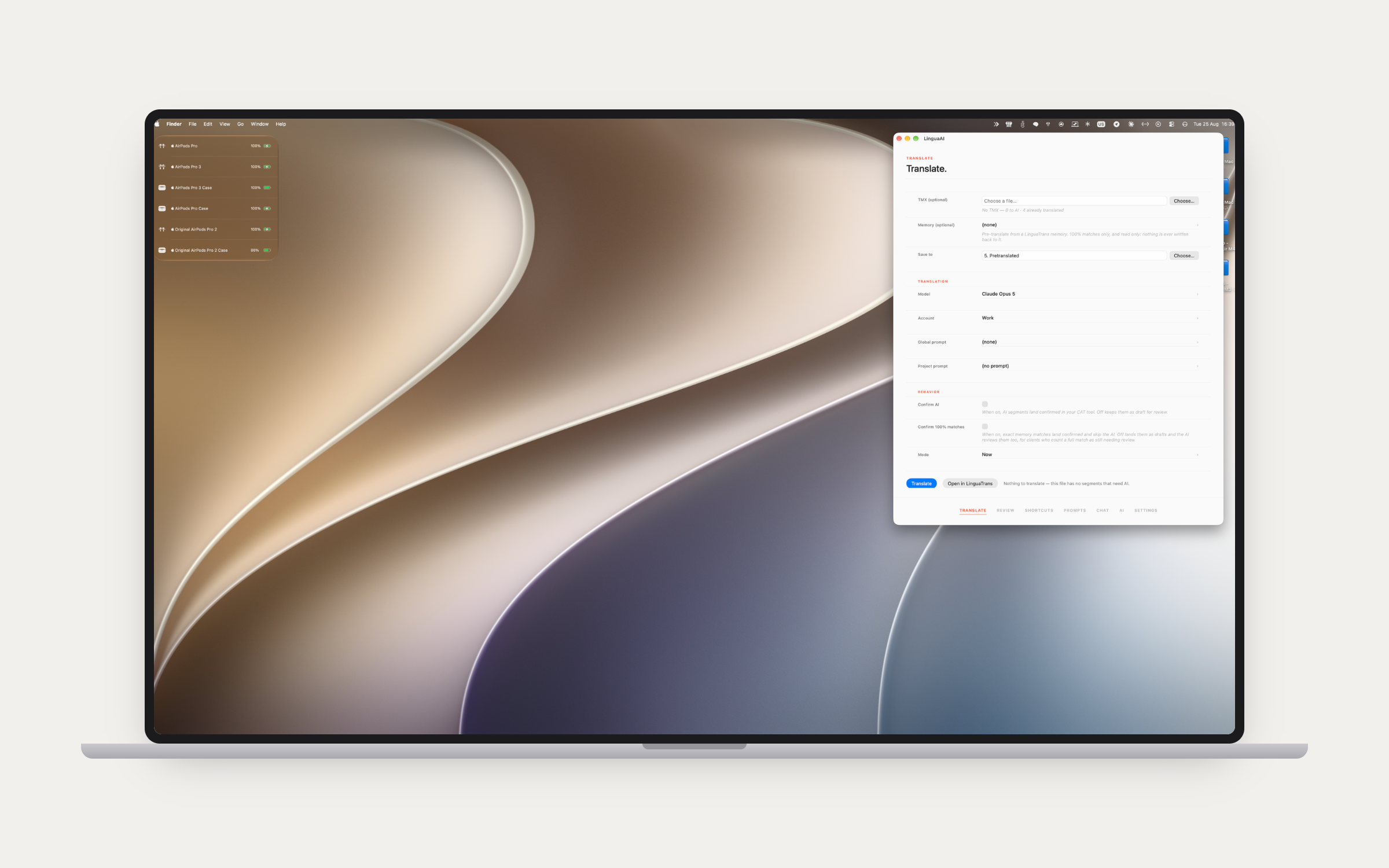
The Translate tab in LinguaAI Pro with model, account and behaviour settings
Translate — point it at a bilingual file, pick the model and the account, and let it pre-translate. A LinguaTrans memory can feed it directly, read-only, and Open in LinguaTrans sends the result straight back.

Bring your own key

Your data goes to the provider. Nowhere else.

Pro connects directly to Claude, GPT, Gemini, Mistral, Perplexity, Ollama, Apple Intelligence, DeepL and Stability AI with the keys you supply. No intermediary servers, no data collection, no subscription on top of the app. Keys are stored in your Mac's Keychain.

How privacy works →

The file work.

Translate and Review are the two tabs that speak CAT. SDLXLIFF, XLIFF, MQXLIFF, MXLIFF, TXLF, XLSX and DOCX in, the same file back.

01

Translate.

Pre-translate bilingual files from Trados, memoQ, Phrase, Wordfast, Excel or Word, with Claude, GPT, Gemini or Mistral. Inline tags are masked into numbered placeholders before a segment goes to the AI and rebuilt from the original afterwards, so the returned target always carries the source's exact tags — the model cannot drop, mangle or invent one, which is what makes tag-dense work like subtitle cues safe to pre-translate. Point Pro at a LinguaTrans memory library once and every client memory in it appears on the tab, opened strictly read-only: nothing is ever written back, and only 100% and context matches are applied. A Confirm 100% matches switch decides whether those land confirmed and skip the AI, or land as drafts the AI reviews too, for clients who count a full match as still needing review. A segment that already carries an unconfirmed draft is post-edited rather than retranslated, so established wording survives. Trados locked content is drafted with the locked text handed to the AI as context, so the grammar around the untouchable words comes out right. An identical source segment appearing in several files in one submission is sent once and the result copied everywhere. Cheaper mode runs the job through Anthropic's Message Batches or OpenAI's Batch API at 50% off, and picks back up across app launches.

02 — Review

A second pair of eyes.

Point it at a finished bilingual file and it reads for meaning, not just for form. Check kind switches between an AI pass — a semantic review with Claude that flags context, terminology and style — and a plain QA pass. Findings land across six categories: terminology, context, missing content, number mismatch, register drift and style guide violation. Three modes cover the speed, cost and coverage tradeoff: Quick is one synchronous call, Cheap is the same call batched at half the price, and Thorough deep-reads in roughly 500-segment windows with a 25-segment overlap, then runs a curator pass that checks each finding against the actual segment, rewrites the confused ones and recalibrates severity in aggregate. A per-submission Focus note narrows the attention onto a client's specific concerns — it can point the reviewer at something, though it cannot widen the brief into stylistic flagging.
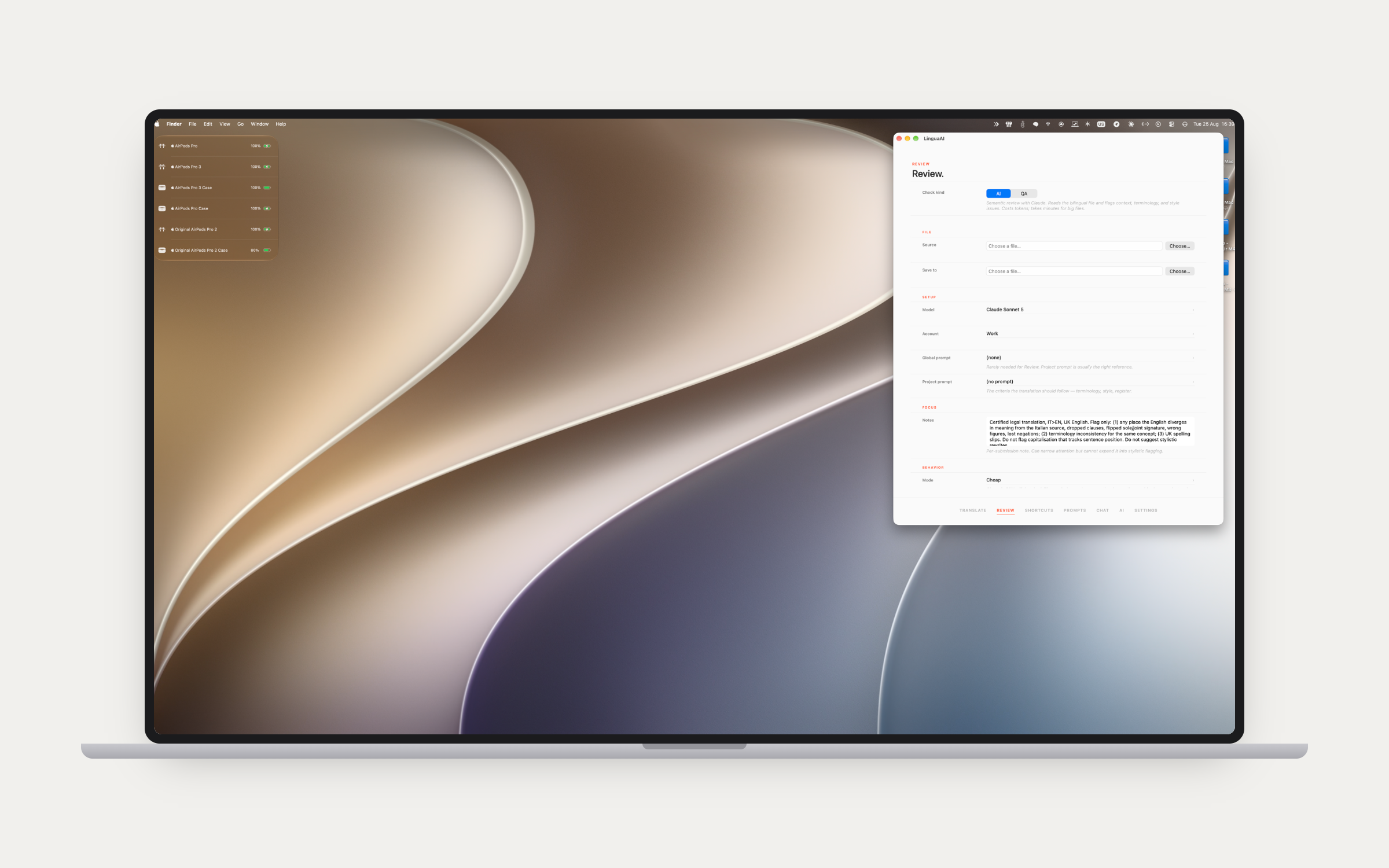
The Review tab in LinguaAI Pro with the AI and QA check kinds and a focus note
03

The report.

Reports come out grouped by file, with severity tiers inside each section and a cross-file section on top when a multi-file job needs one. Segment numbers line up with Trados and Wordfast numbering, skipping the structural placeholders, so a reported number is the number you are looking at in your tool. A deterministic filter chain drops out-of-range segment numbers, misattributed missing-content claims, false-script claims, no-op suggestions and duplicates before anything reaches AI verification. On a Thorough multi-file run a terminology scout builds a per-term corpus and surfaces the terms rendered differently between files — the UI-versus-manual problem. Glossary suggestions flag terms used consistently in the translation that are not in the project glossary yet, with occurrence counts. The report opens in-app as markdown, and Cheap and Thorough runs notify you when they are ready.

Everywhere else.

Three tabs for the rest of the day: a hotkey on any selected text, the library behind it, and a chat window when a swap is not enough.

04 — Shortcuts

Select text. Hit a key. Done.

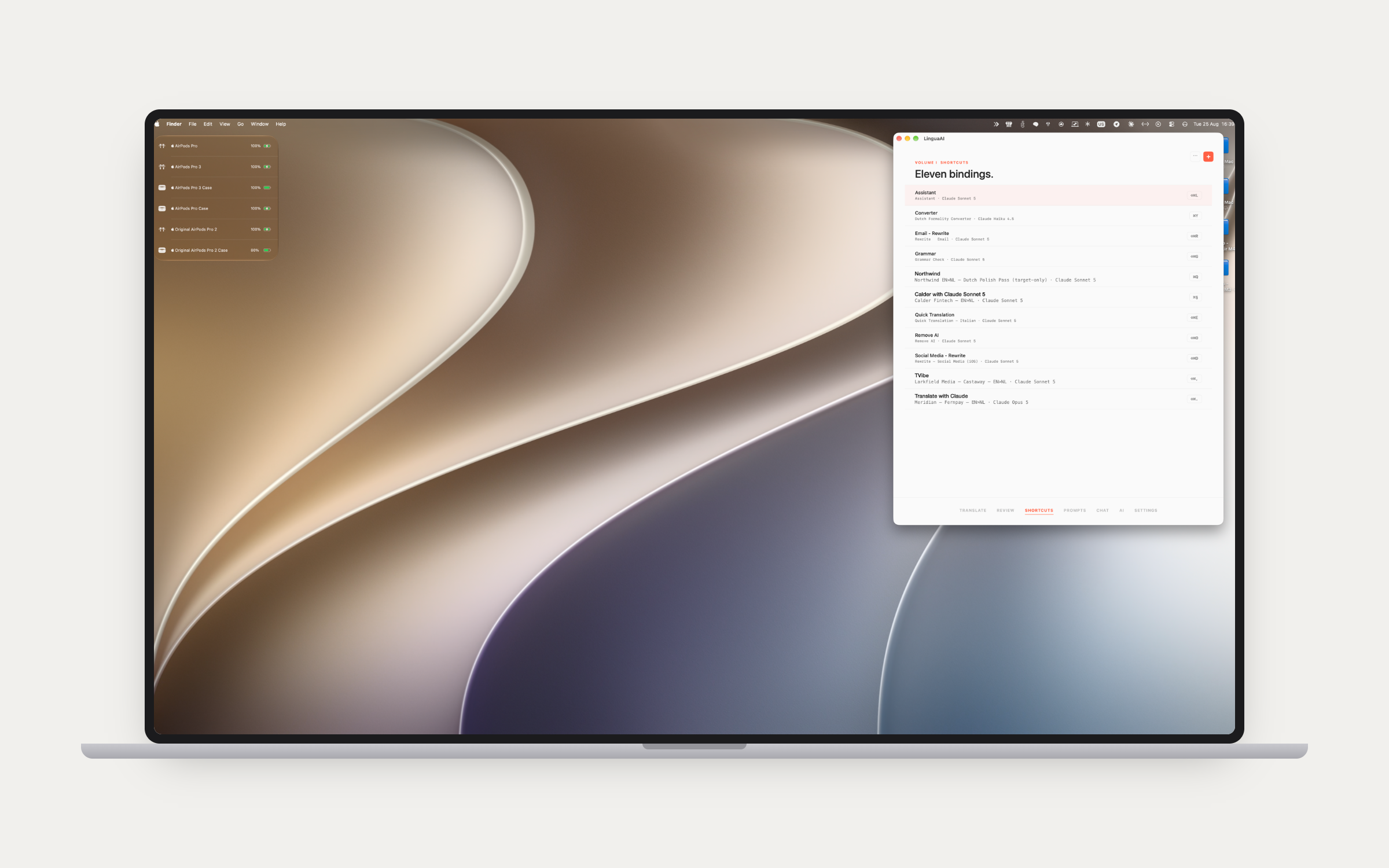
Select text in any app on the Mac, hit a binding, and the result replaces it in place. Each binding is a named job with its own prompt, model, account and key combination — a client's EN→NL polish pass on one key, a grammar check on another, a formality converter on a third. Per-shortcut settings cover temperature, web search, prompt caching and, on the models that support it, effort level, so a quick reformat and a hard rewrite can share a model at different depths. A single segment sent over from LinguaTrans brings its locked-content context with it, so a hotkey draft fits the grammar around the locked words exactly as a full file run does.

The Shortcuts tab in LinguaAI Pro listing named bindings with their prompt, model and key combination

05 — Prompts

Every prompt, filed and searchable.

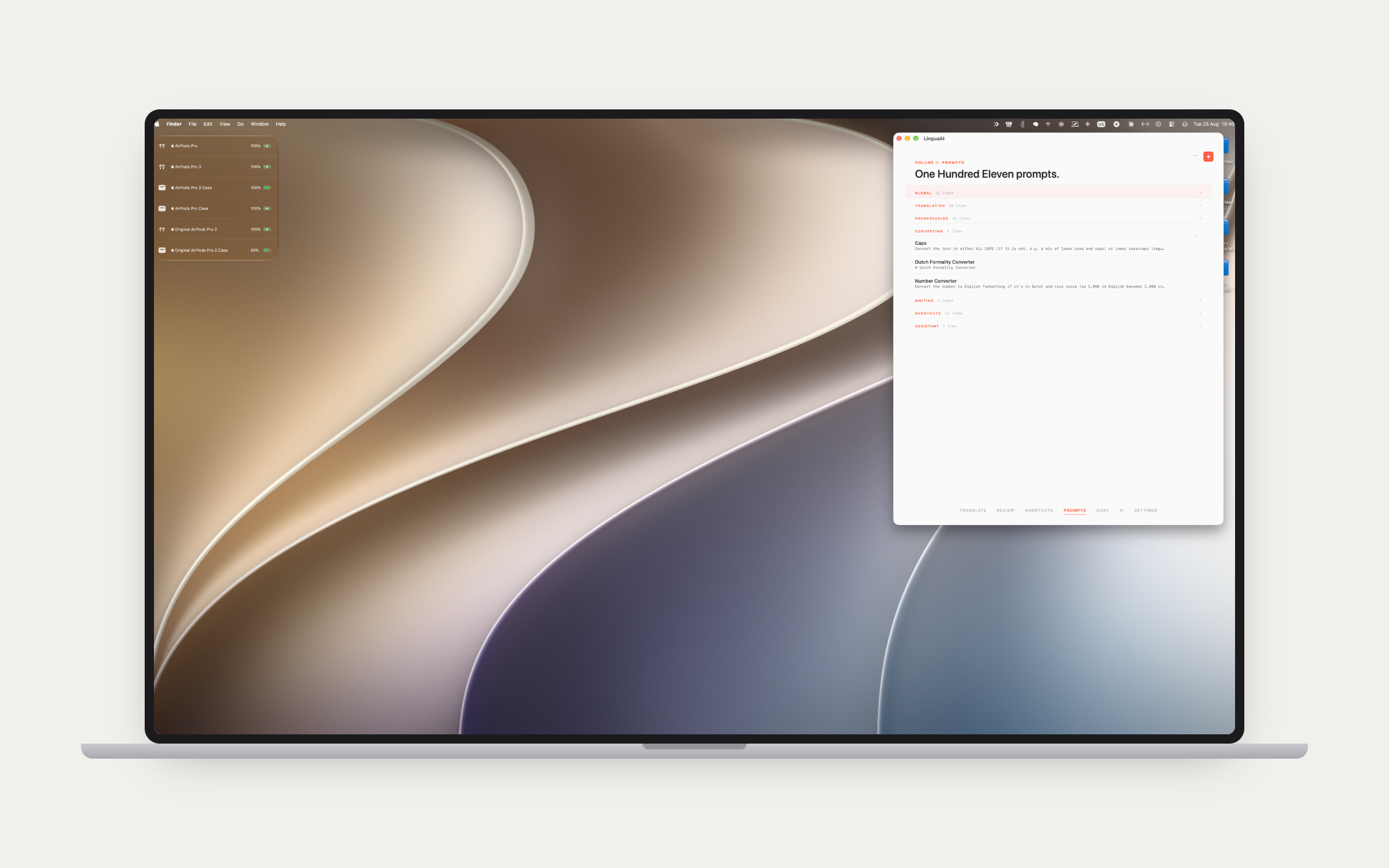
The library behind the bindings: categories you define, search across them, drag to reorder, and import or export as markdown. Attach reference material to a prompt so it carries its own context wherever it runs. Prompts layer, too — a global one for house style, a project one for a client's terminology — and both layers apply during Translate and Review as well as on a hotkey. A Prompt Assistant (⌘⇧A) writes them with you: it asks what the language pair and variant are, what kind of text it is and what should come back, drafts the prompt in the house shape of role, task, a few rules and what to return, and files it in the category it names. It improves prompts you already have the same way, in targeted edits rather than a rewrite, and it works from a translator's playbook: a framework rather than a rulebook, examples over rules, and translating is not rewriting. A fresh library arrives stocked with worked examples and a set of house rules, removable in one click.

The Prompts tab in LinguaAI Pro with the library grouped into categories

06 — Chat

When a swap isn't enough.

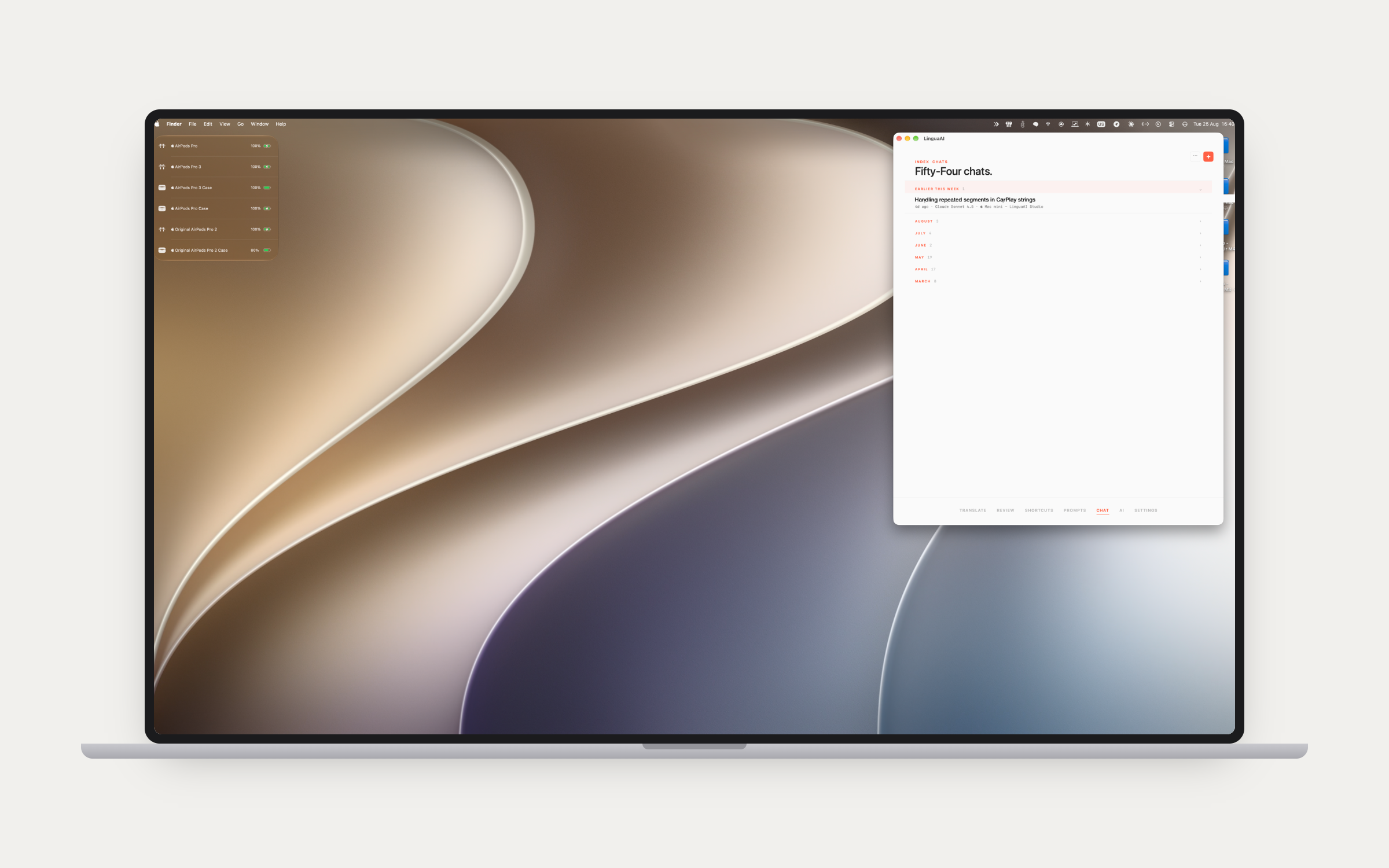
A full chat window with streaming responses and the history filed by month. Attach PDFs, images, Word and Excel files; text is extracted automatically and images go through the vision APIs. An attachment whose text cannot be read — a proprietary format, or an iCloud placeholder that has not downloaded yet — gets a warning marker on its chip before you send, so you find out then rather than from a confused answer. It warns; it never blocks. Web search and Claude's extended thinking are per-conversation toggles. Switched on in Integrations, the chat reaches LinguaTrans on the same Mac with the tools Claude Desktop has: the open project and file, its segments, the memory and glossary lookups, the project notes. Writing anything back is a second switch, and confirming stays in the LinguaTrans editor. It can read the prompt library too, so a prompt that needs fixing mid-review is fixed in the same conversation, behind its own switch again, proposed as a before and after and applied only after a yes, replacing one exact passage so a long glossary keeps every line nobody asked about. Each lookup shows as one quiet line in the reply. Both are off by default. Beta The next version opens the same tools to every model that can call them: GPT and Mistral direct, and anything through Perplexity's router, so the chat reaches LinguaTrans wherever Claude is not sold directly. Conversations sync through CloudKit, so a thread started in LinguaAI Studio on the phone is in this list too, tagged with the device and app it came from. A shortcut can send its run into the chat already open instead of opening another, so one chat per file holds the whole job: translate a paragraph with one shortcut, review it with the next, and the model can see what it said earlier. Export Chat writes the conversation out as Markdown and Import Chat brings an earlier one back as context. A message too large for the model is caught before it is sent, with its size named, rather than failing at the provider.

The Chat tab in LinguaAI Pro with conversation history grouped by month

Underneath it.

The keys, the accounts, the defaults and the colour that tells you which one is spending.

07 — AI

Nine providers, your accounts.

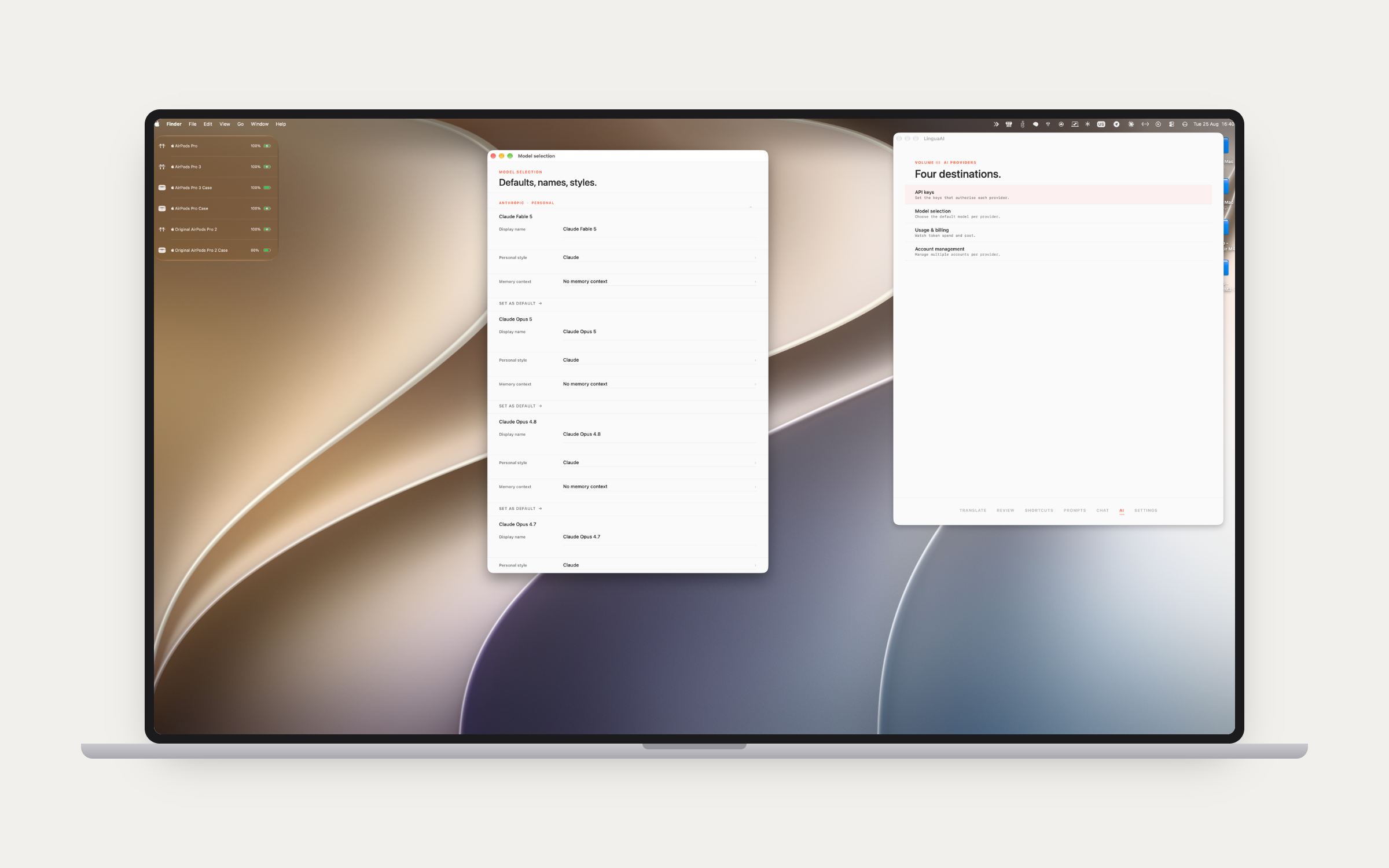
Claude, GPT, Gemini, Mistral, Perplexity, Ollama, Apple Intelligence, DeepL and Stability AI, behind four destinations: API keys, model selection, usage and billing, and account management. Set a default model per provider, and give each model a display name, a personal writing style and a memory context of the standing facts it should already know. Run several accounts per provider so Work and Personal keys bill separately. Mistral runs on its EU endpoint, so that processing is guaranteed to stay in Europe, and Perplexity's router reaches Claude, GPT, Gemini and others through one key at the makers' own prices. Rate limits are waited out rather than failed on: batches start a second and a half apart, a refusal waits exactly as long as the provider asks and the rest of the job drops to one batch at a time, and a rejected request is not billed, so the waiting costs nothing. When an account simply cannot keep up, the summary says so in words and names the cure. If a run ends with failures, one click copies the whole account to the clipboard, model and files and every failed segment with the provider's own answer, ready to paste into a support message. Usage analytics track spend per provider with date-range filtering, through the Anthropic Admin API for the detailed billing.

The AI tab in LinguaAI Pro beside the model selection window with per-model defaults

08 — Settings

Which key is spending.

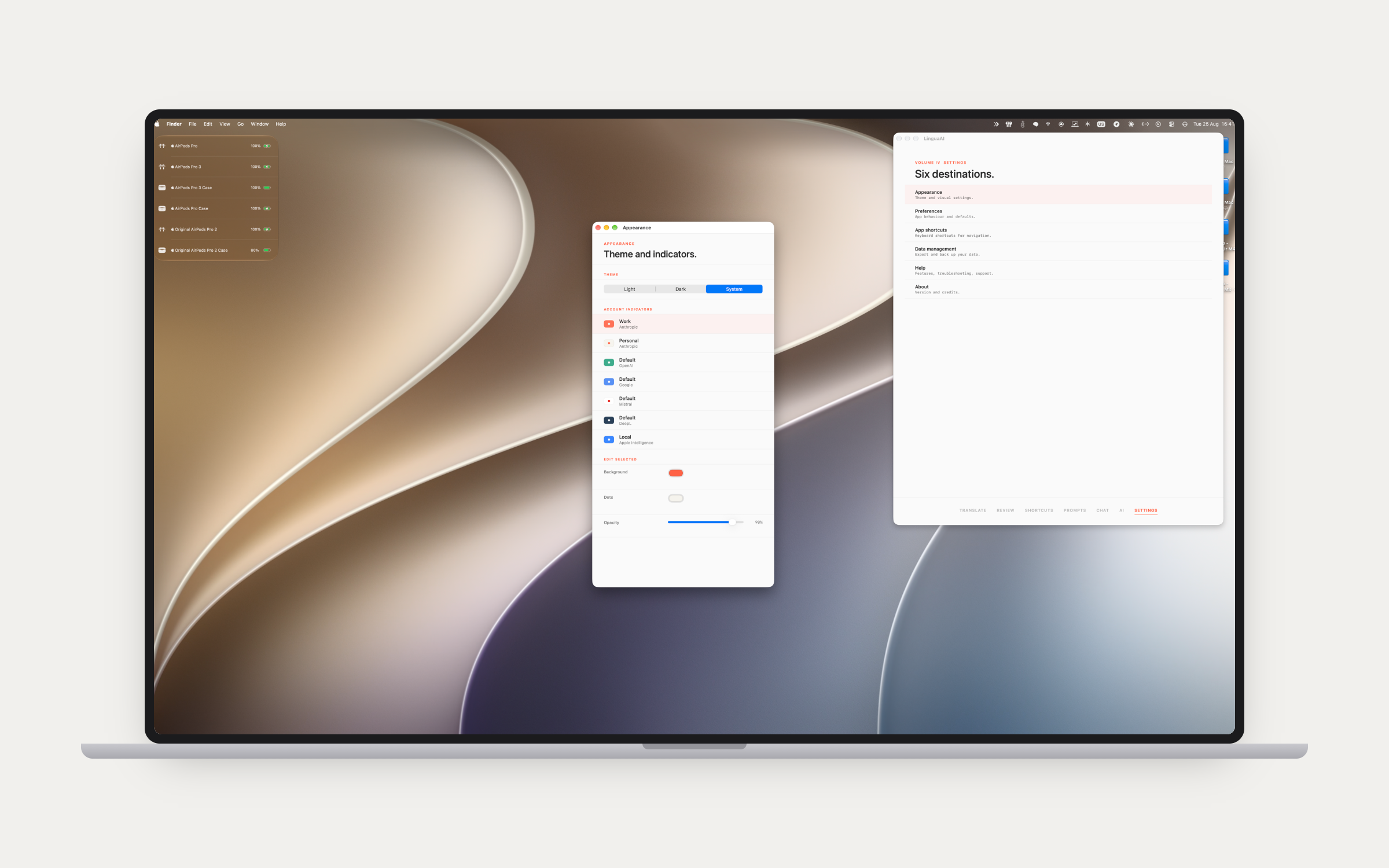
Six destinations: Appearance, Preferences, App shortcuts, Data management, Help and About. The theme follows Light, Dark or System. Every account gets a processing indicator you colour yourself — background, dots, opacity — so when a shortcut fires somewhere on screen you can tell at a glance which account is running it, and which one is being billed. Data management covers the way out: conversations as markdown in a ZIP, prompts, styles and memory contexts in and out, and a full backup and restore. A tutorial opens on first launch and stays in Settings: five plain chapters with buttons that take you into the app, a full reference behind them, and an Ask tab that answers a question in your own language out of the manual. That one runs on our key rather than yours, so it works before you have set up a provider at all; only the question and the app version leave the Mac.

The Settings tab in LinguaAI Pro beside the appearance window with per-account indicator colours
09

The suite, and the rest.

Pro and LinguaTrans now share a look as well as a workflow, the same type scale and colour and the same flat cards. Bidirectional handoff with LinguaTrans and LinguaAI Toolkit, single-click in both directions: LinguaTrans sends a file out for pre-translation or review and Pro sends it back, and Toolkit converts Word, PowerPoint, Excel, subtitles and XML to XLIFF and rebuilds the document afterwards. Everything syncs across devices through CloudKit. On macOS 26 the window picks up the Liquid Glass effect. It is multi-monitor aware about where it puts itself, and it will run several chat windows at once if that is how you work.

The file is the contract between apps. See the suite →

Put Pro on your Mac.

Bring your own API keys. Your data goes directly to the provider you choose, and nothing passes through our servers.