For Apple Music on your Mac

Ask, and it's done.

DiscotecAI connects the Claude Desktop app to the Music app on your Mac and to Apple Music. Ask in plain words for a playlist, a report on what you played, or a song on the kitchen HomePod, and Claude does it in your library. No account, no server. DiscotecAI itself sends nothing anywhere.

Mac · works with Claude Desktop · no accounts
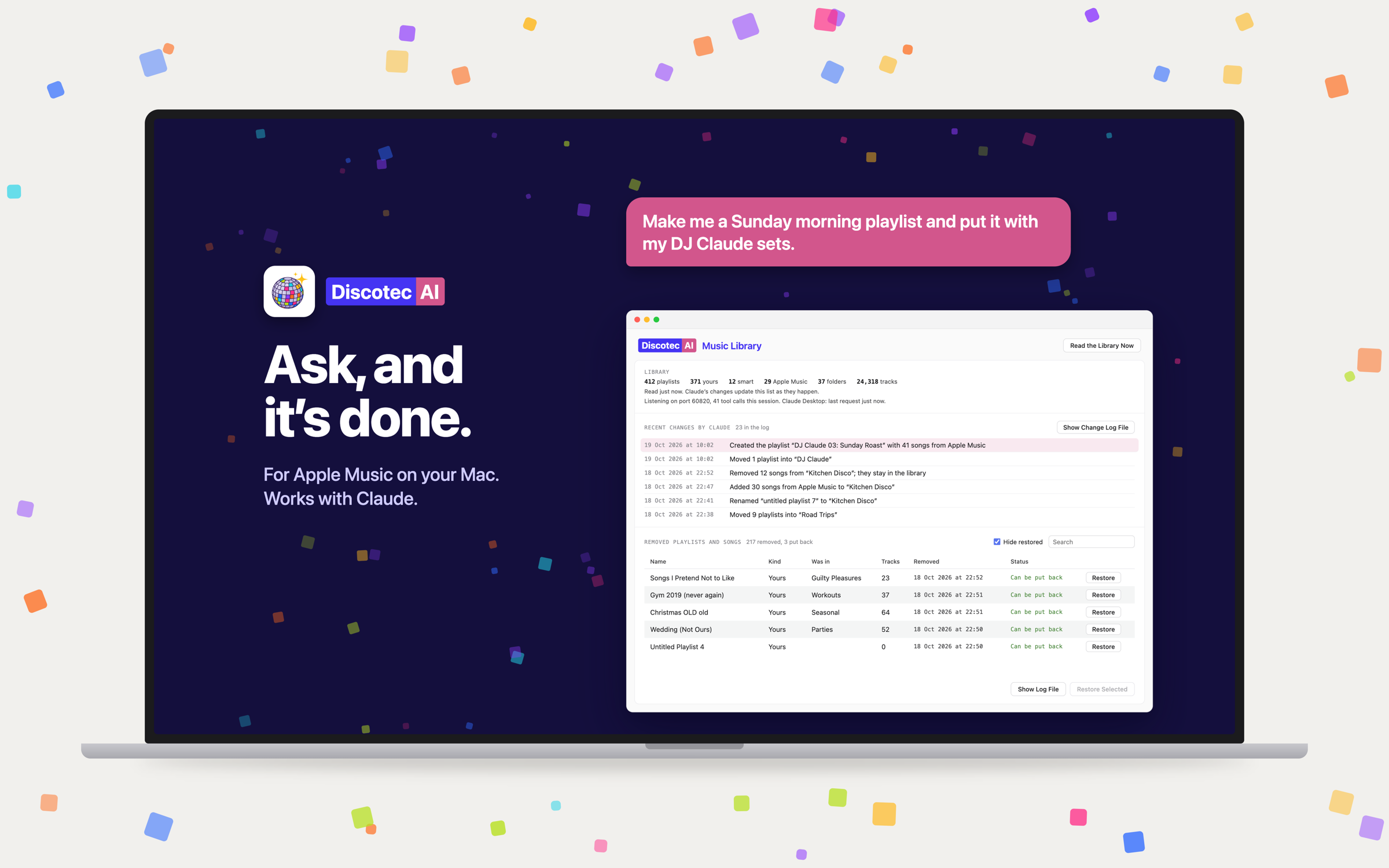
A request to Claude to make a Sunday morning playlist, and the DiscotecAI Music Library window showing the library counts, Claude's recent changes and the removed playlists
One request in Claude Desktop, one window on your Mac: what the library holds, what Claude changed, and what it removed, with a Restore button on every row.

Nothing goes without a preview

Claude asks before it removes. The window puts it back.

Removing a playlist or a song is a two-step affair: Claude first shows you exactly what would go and waits for a yes. Everything that does go is written to a restore log before it goes, and the app's own window keeps a Restore button next to each entry. Every change Claude makes, playlists created, renamed, moved or removed, songs added or taken out, is a macOS notification in plain words with the numbers, and the Recent Changes list keeps the history.

How privacy works →

Things you can ask.

In your own words, in a chat with Claude Desktop. These are real requests, not a command language.

01

Reports.

What are my most played songs of 2024? Which albums have I not played in a year? What did I add last month and never play? Claude reads the play counts, the last-played dates, the skips and the ratings of every song in the library and answers from them.

02

Playlists and folders.

Make a playlist of songs I have never played by artists I play a lot. Put the playlists from last summer in a folder called Summer 2025. Rename, move, add and remove songs, and find the duplicate playlists, with no cap on the number of playlists.

03

Apple Music.

Add the new album by this artist to my library and play it. Search the catalog, the charts, the recommendations, what you played recently, an artist's albums and singles, Apple's editorial playlists; add songs, albums and playlists to your library, or build a playlist straight from the catalog.

04

Playback and AirPlay.

Play that on the Upstairs HomePod. Now the Mac and the living room together. Play a playlist or a song, shuffle, repeat, volume, what is playing now, and exactly which AirPlay outputs play it.

05

Play counts and favourites.

Add the plays Music did not count, an album played from its Apple Music page for instance, or mark songs as favourites, so the reports stay true to what you actually listened to.

The window

See every change.

Everything Claude creates, renames, moves or removes, written down in plain words with the numbers, as it happens. The same lines arrive as notifications while Claude works, folded into one banner when several come at once, and there is a switch in the menu for the days you would rather not be told.
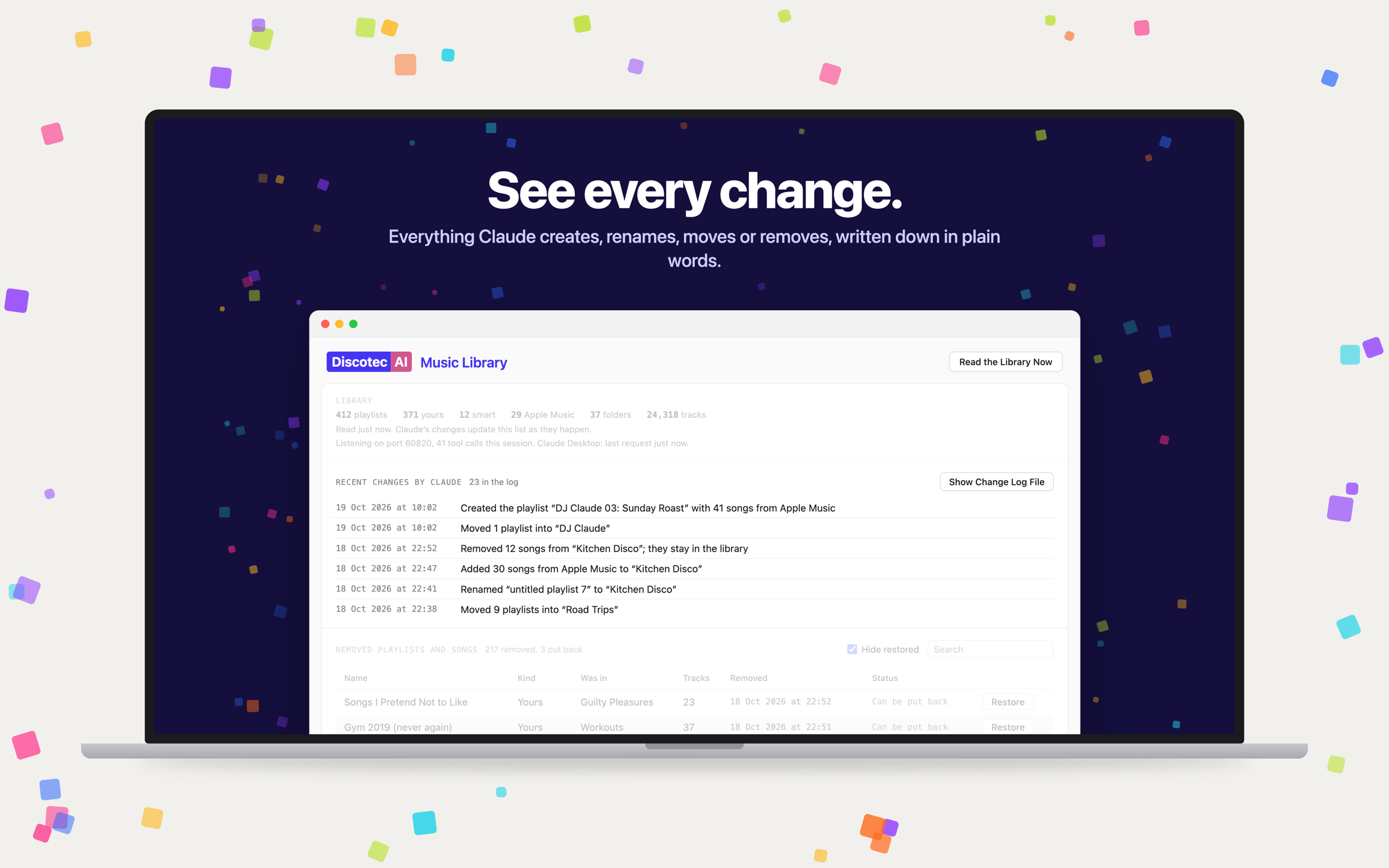
The DiscotecAI window with the Recent Changes by Claude list: playlists created, moved and renamed, songs added and removed, each with its time

Restore

Changed your mind? Put it back.

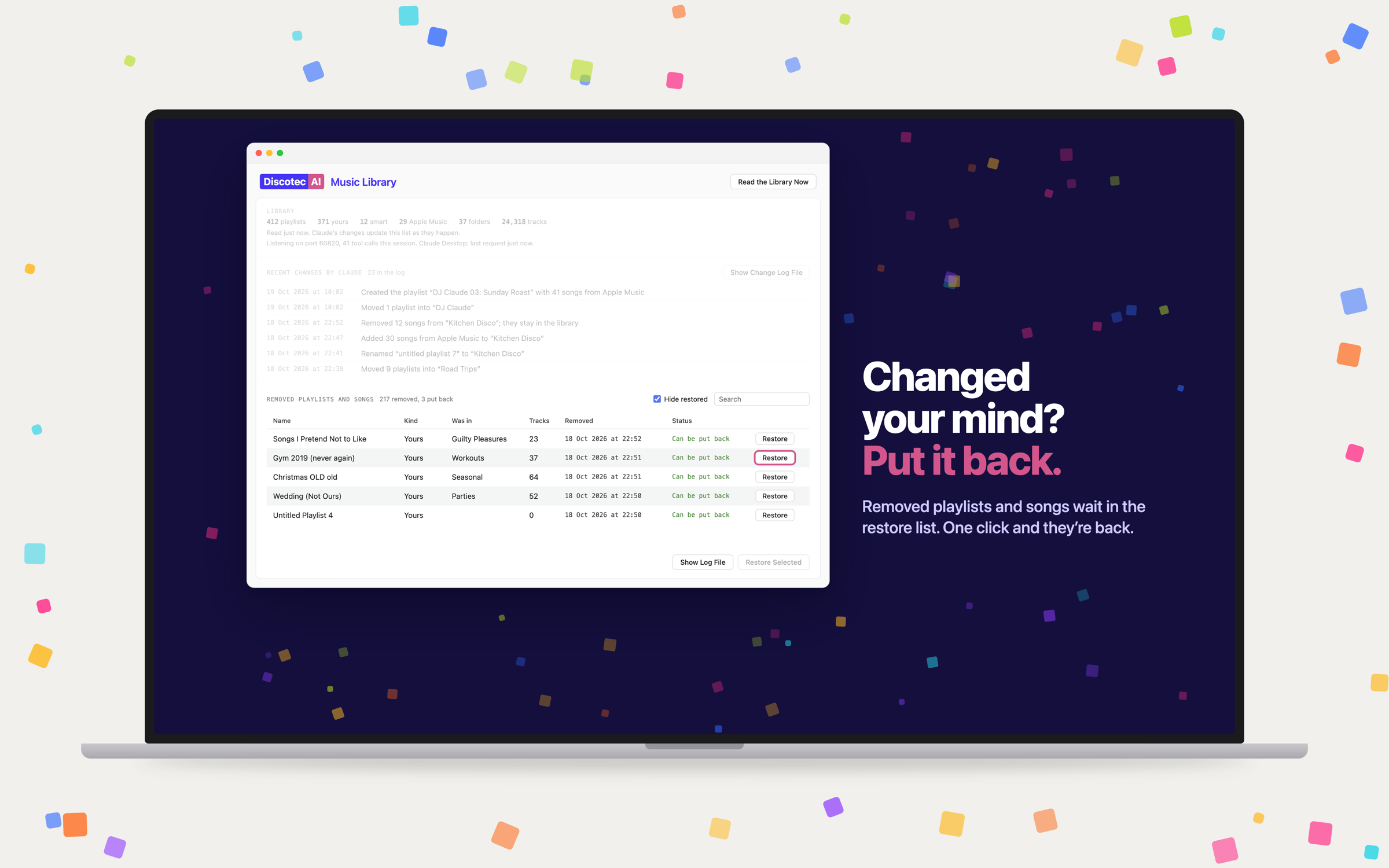
Removed playlists and songs wait in the restore list with the folder they were in and the number of tracks. One click and they are back: Apple Music playlists through the catalog, your own playlists rebuilt from their logged songs, into the old folder when it still exists. Several at once with Restore Selected.

The DiscotecAI window with the removed playlists and songs list, each row with a Restore button

What DiscotecAI gives Claude.

A set of tools for the Music app and for Apple Music, offered to Claude Desktop over a connection that never leaves your Mac.

01

Your library.

Every playlist, folder and song, with play counts, last played, skips, ratings, favourites and when things were added. The whole library is read once after launch and kept, so the first question is answered from memory.

02

The connection.

DiscotecAI lives in the menu bar. Click it, choose Set up Claude Desktop, restart Claude Desktop, and it is connected. The app listens on your Mac only, with a key it makes for that Mac, and it sends nothing from your library to anyone by itself. What Claude sees goes through Claude Desktop, under Anthropic's terms.

03

What you need.

Claude Desktop from Anthropic, a free download with a Claude account. The Music app with your library on this Mac. An Apple Music subscription for the catalog side: search, charts, recommendations, adding songs. The library side works without one.

Made by a translator with 1,078 Apple Music playlists.

And no way to clean them up, until Claude could see them. Now the library is his again, folders and all.